Saving and Loading Profiles
You can save your WebCam+ settings and load the saved settings (profile) for use.
Note that if you do not set the profile, the processing settings will remain in their final state.
Saving a profile
- Click the
 button in the state where you want to save the settings.

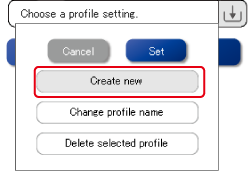
- Click on the [Create New] button.
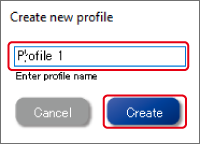
- Enter a profile name and click the [Create] button.
Loading a profile
- Click the button.
A pull-down menu of saved settings is displayed.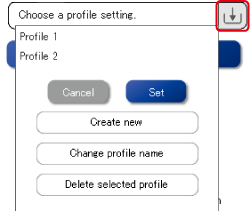
- Select the profile name you want to load and click the [Set] button.
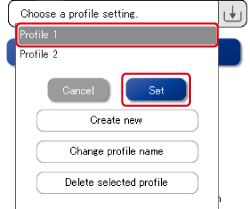
The selected settings will be reflected in WebCam+.
Change the profile name
- Click the button.
- Select a profile name and click the [Change profile name] button.
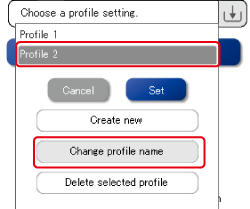
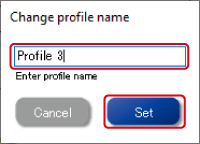
- Input a new profile name and click the [Set] button.
Delete a saved profile
- Click the button.
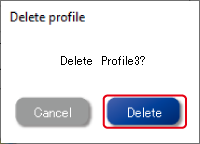
- Select the profile name you want to delete and click the [Delete selected profile] button.
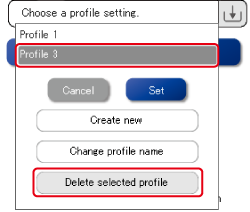
- Click the [Delete] button.