Selecting the operation screen
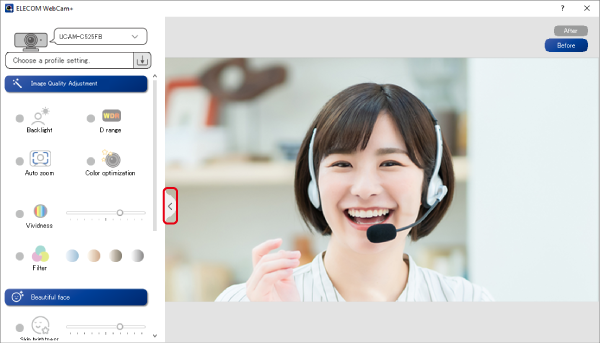
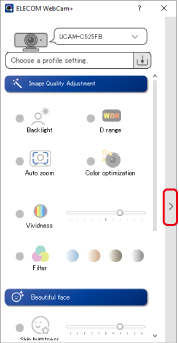
There are two types of operation screens for face beauty applications: one without preview and one with preview.
Screen with no preview
When the face app is launched, a screen without a preview will be displayed.
Adjust the resolution and other settings only on the setting screen.
When WebCam+ is started by selecting ELECOM WebCam+ in a web conference app, etc., the settings will be reflected on the screen of the web conference app, etc. in real time.
Screen with preview
Click the Preview button to display the preview screen.
Adjust the resolution and other settings while viewing the preview screen.
When you start the beauty face app from your computer and select a web camera to operate, you can set it while viewing the preview screen.