Read the setting
You can load settings such as button function assignments saved under “Write settings”.
- Click on “Read the settings” from the utilities menu.

- Click on the “OK” button.
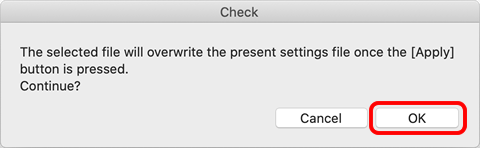
- Clicking “Cancel” will stop the reading.
- Clicking “Cancel” will stop the reading.
- Select the file with the settings you want to load.
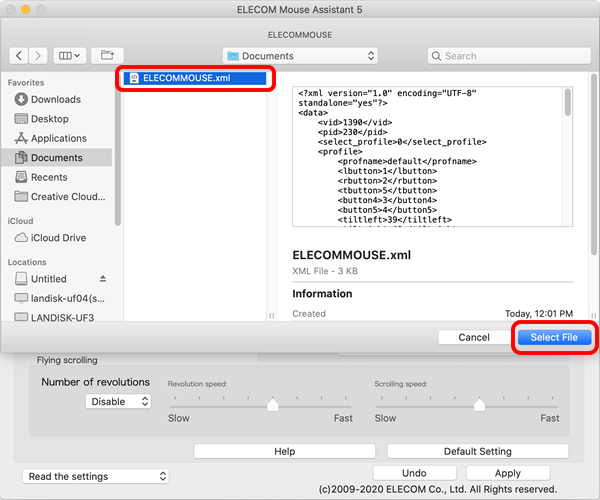
- Click on the “Select File” button.
Saved settings such as button function assignment will be loaded.
- Past saved settings file can be read on other computers (Macintosh, Windows®) with “ELECOM Mouse Assistant 5” installed.
However, between Macintosh and Windows®, “Arbitrary keys” settings are not loaded. - If the mouse selected from the “Select mouse” page is different from the mouse in the settings file, only the supported settings will be reflected.
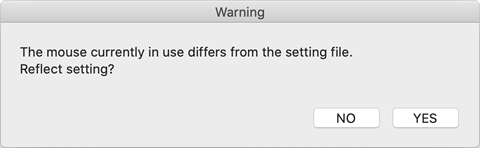
- Past saved settings file can be read on other computers (Macintosh, Windows®) with “ELECOM Mouse Assistant 5” installed.